Avatar World: Customize Your Unique Character
- By Charlotte
- May 13,2025
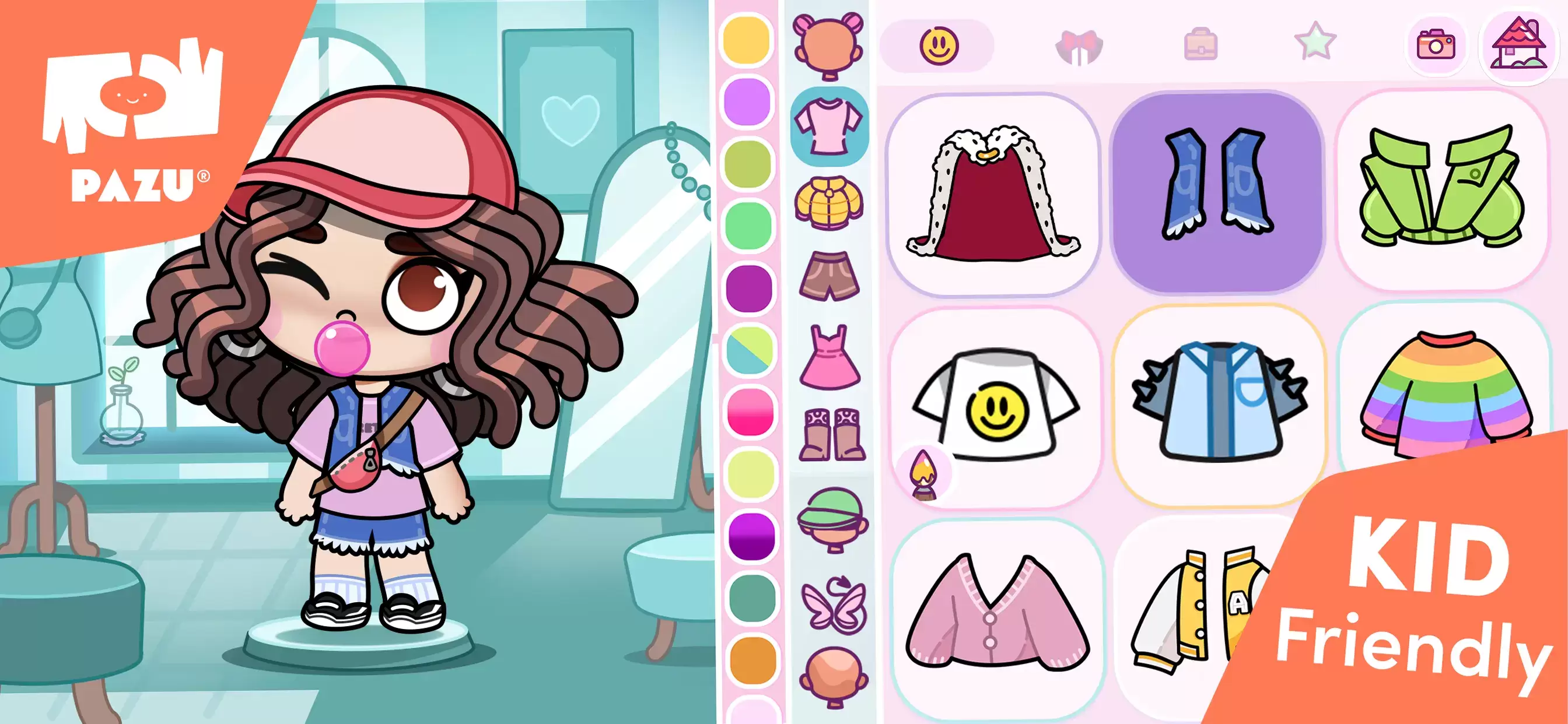
Character customization in Avatar World is a thrilling journey into personal expression, allowing players to craft avatars that resonate with their unique style, personality, and creativity. From selecting body types and fine-tuning facial features to curating outfits, the game boasts an expansive array of options to bring your vision to life. Whether you're aiming for a laid-back everyday vibe or a bold, extravagant flair, Avatar World equips you with the tools to make it happen. This comprehensive guide will navigate you through the customization process, ensuring you harness the full potential of the character creation system.
Accessing the Character Creator
Your journey to shaping your avatar's appearance begins in the character creator. To access this feature, launch Avatar World and tap the avatar icon located in the top-right corner of the main screen. This action will unveil the customization interface, where you can tweak everything from body type and skin tone to hairstyles and accessories. The beauty of Avatar World lies in its flexibility—feel free to revisit this menu anytime to refresh your avatar's look. The game supports endless customization, so you're never stuck with a single design.
Selecting a Body Type
The initial step in avatar creation involves choosing a body type. Avatar World offers three distinct sizes to cater to different styles:
- Child – Opt for a smaller, youthful appearance, ideal for playful and energetic avatars.
- Teen – A balanced middle ground, perfect for a stylish and versatile look.
- Adult – Choose a taller, more mature figure for a sophisticated or professional character.
The body type you select will set the overall proportions of your avatar, yet it won't restrict your clothing choices—all outfits are accessible across every body type.
Tips for Effective Customization
- Experiment with different styles – There's no one-size-fits-all approach to customization. Feel free to mix and match until you discover the perfect look that speaks to you.
- Explore in-game clothing stores – Don't miss out on exclusive outfits and accessories available in the fashion stores within the game's mall.
- Use color editing – Many items offer color customization, enabling you to tailor your outfits to your preferred style.
- Mix and match outfits – Instead of sticking to pre-made full outfits, combine different clothing items for a truly personalized appearance.
- Adjust expressions for storytelling – If you're into role-playing or crafting stories, tweak your avatar's facial expressions to fit the narrative.
Character customization in Avatar World is a gateway to expressing your creativity through a vast array of options. Whether you're designing a casual, formal, or playful look, the game offers endless possibilities for personalization. By following this guide, you can create an avatar that truly embodies your style.
For an enhanced gaming experience, consider playing Avatar World on a PC with BlueStacks, which provides superior controls and a larger screen for a more immersive experience.
Latest News
more >-
-

- Universal Piece Trello and Wiki Links
- Oct 22,2026
-

-

-




