How to Use Cheats in Balatro (Debug Menu Guide)
- By Layla
- Jan 25,2025
Balatro, the 2024 breakout hit selling over 3.5 million copies and earning multiple Game Awards, maintains immense popularity due to its innovative gameplay and high replayability. However, seasoned players might seek ways to revitalize their experience. While modding offers one solution, accessing the game's built-in developer debug menu provides an alternative, preserving achievements. This guide details how to enable and utilize Balatro's cheat menu.
Quick Links
How to Enable Cheats in Balatro
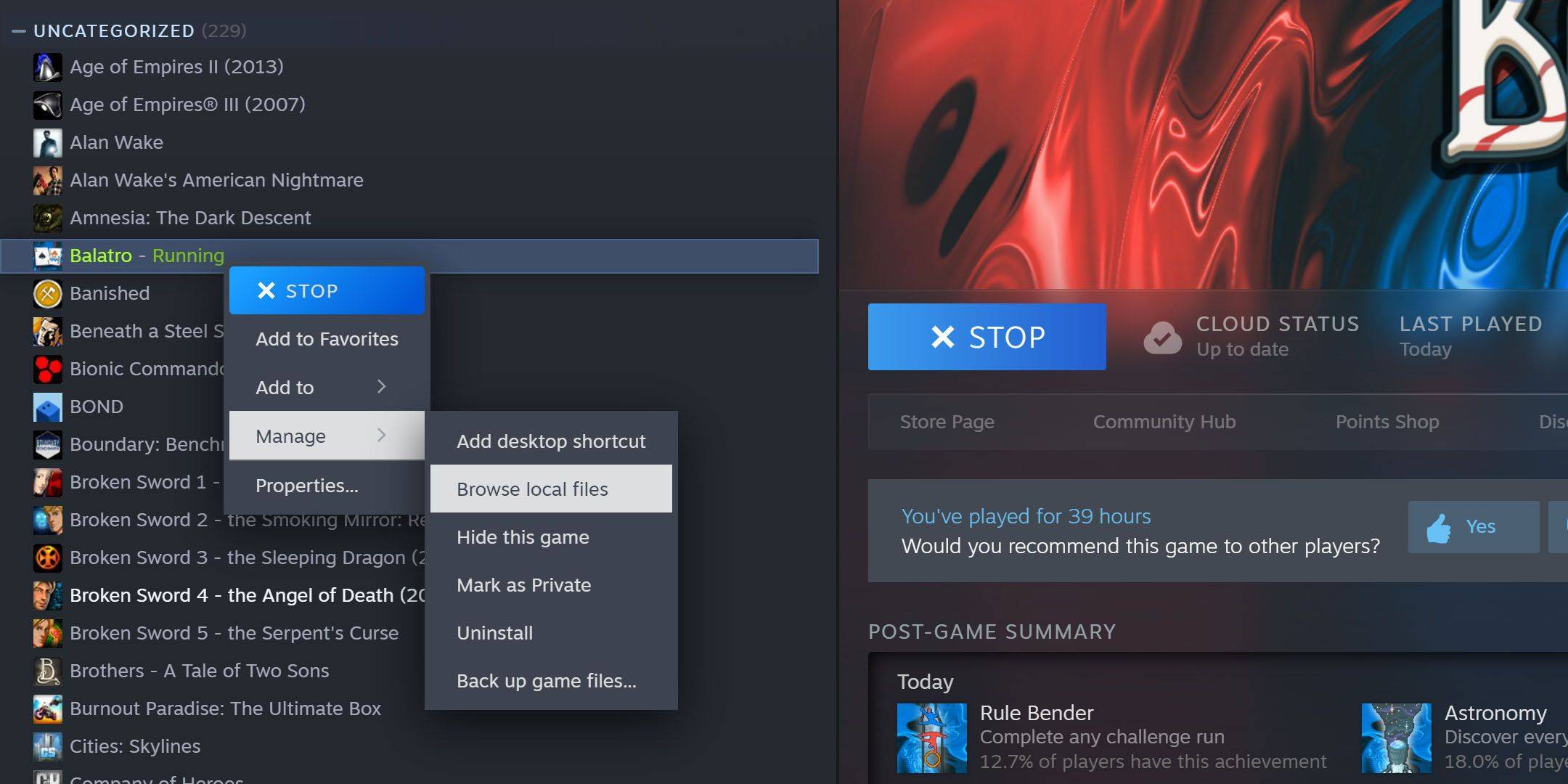 To activate Balatro's debug menu and cheats, you'll need 7-Zip, a free, open-source archiving tool. Locate your Balatro installation directory (typically
 C:\Program Files (x86)\Steam\steamapps\common\Balatro). If unsure, find Balatro in your Steam library, right-click, select "Manage," then "Browse Local Files."
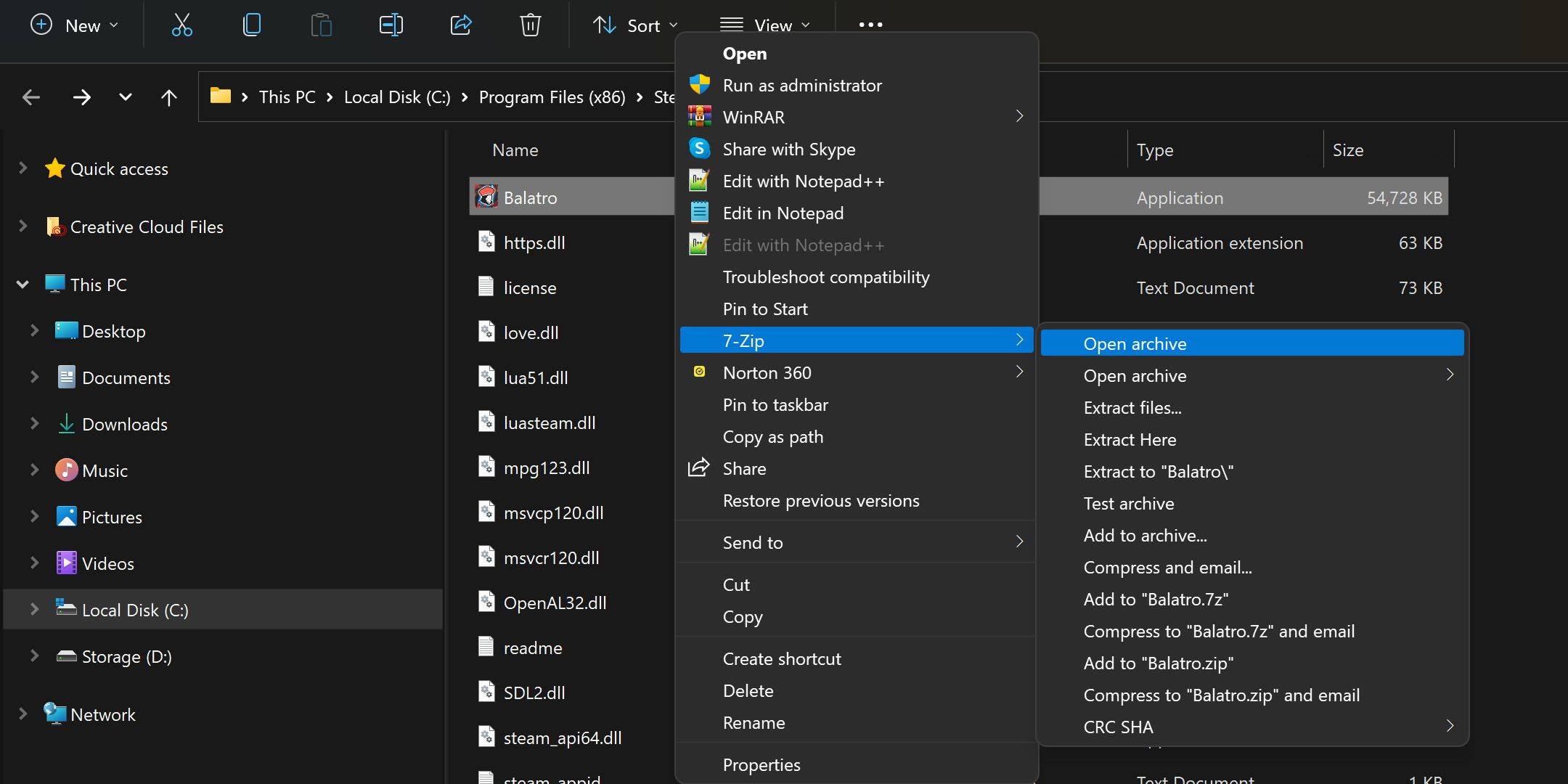 Right-click
 Balatro.exe and choose to open the archive with 7-Zip (this might be under "Show More Options" depending on your OS and 7-Zip settings). Find conf.lua and open it with a text editor (like Notepad).
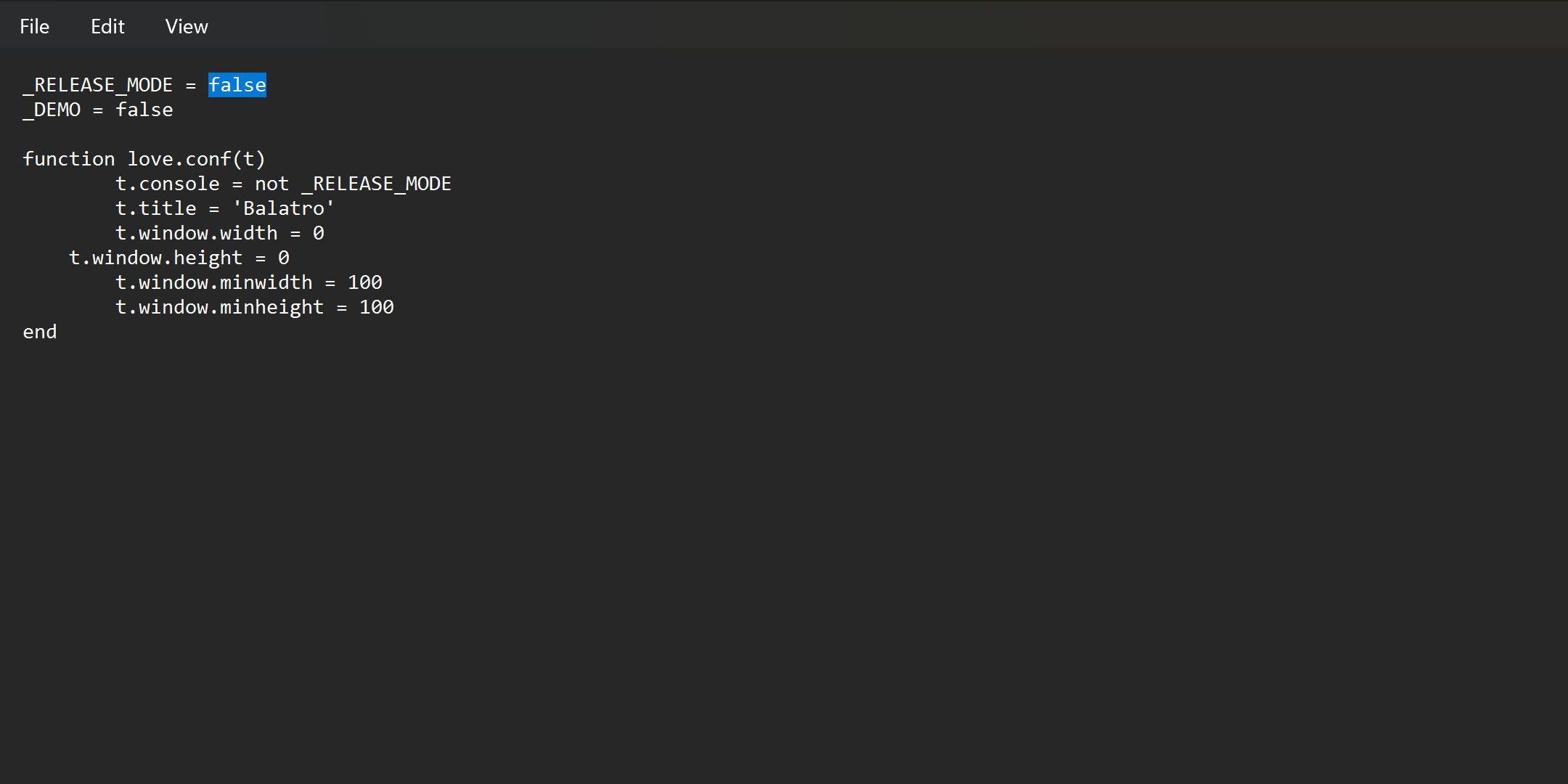 Modify
 _RELEASE_MODE = true to _RELEASE_MODE = false, then save. If saving fails, extract conf.lua to your desktop, make the change, and replace the original file. The debug menu will now activate by holding the Tab key in-game. To disable cheats, revert the _RELEASE_MODE parameter to true.
How to Use the Debug Menu in Balatro
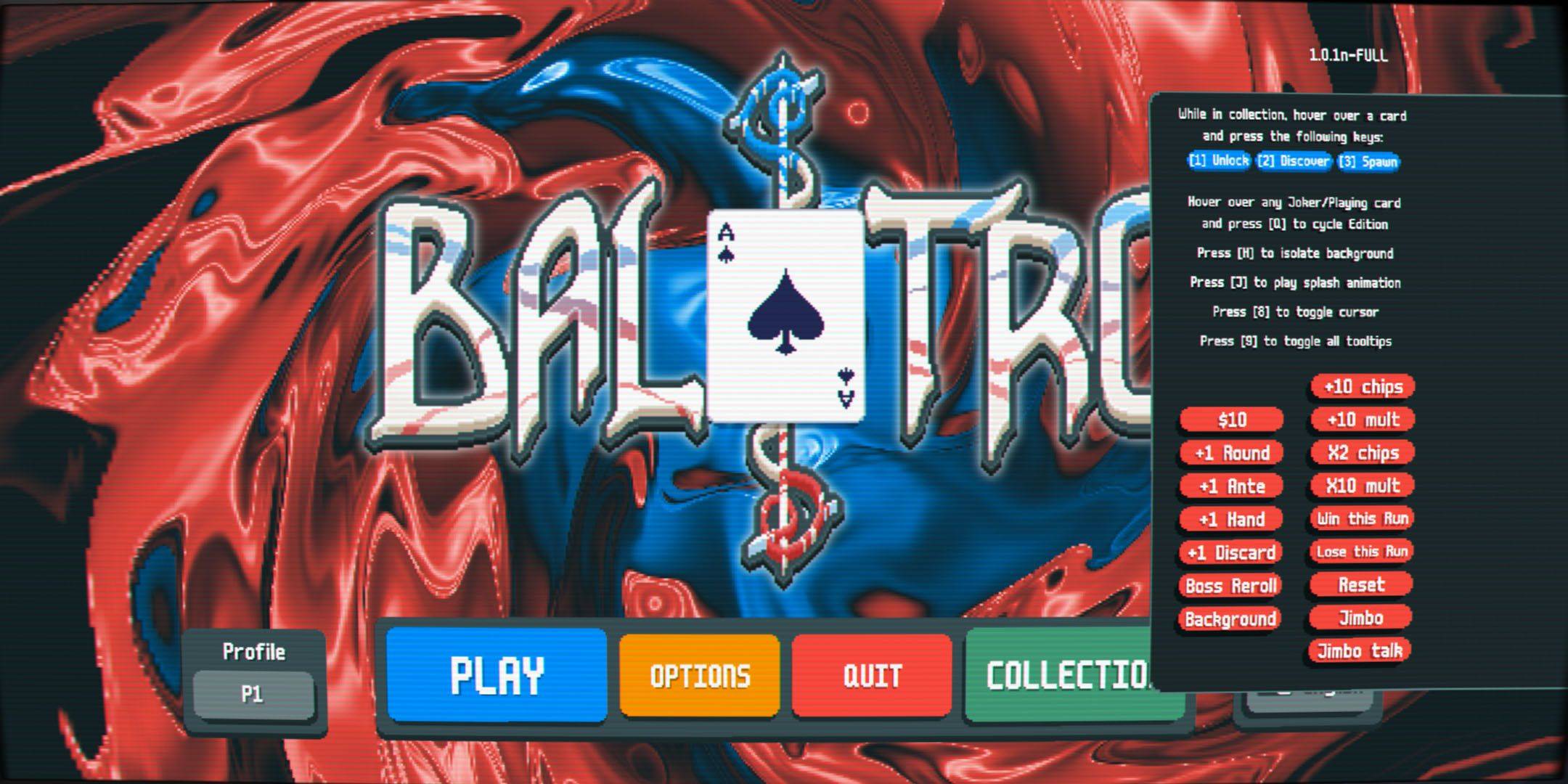 Balatro's cheat menu is user-friendly. Unlock items by hovering and pressing '1'; spawn jokers by hovering and pressing '3'. Initially limited to five jokers, pressing 'Q' four times on a joker in hand transforms it into a negative, effectively allowing unlimited jokers.
All Balatro Cheats (Hold Tab to Open Menu)
Latest News
more >-

- Universal Piece Trello and Wiki Links
- Oct 22,2026
-

-

-

-