Earn In-Game Cash Fast: Tips for GTA 5 & GTA Online
- By Thomas
- Jan 24,2025
Grand Theft Auto 5 & Online: A Comprehensive Guide to Saving Your Progress
Grand Theft Auto 5 (GTA 5) and GTA Online utilize autosave features to periodically record your progress. However, for those seeking greater control and peace of mind, manual saves and forced autosaves are essential. This guide details how to save in both GTA 5 Story Mode and GTA Online. An orange, clockwise-rotating circle in the bottom-right corner signifies a successful autosave.
GTA 5 Story Mode: Saving Your Game
Method 1: Sleeping at a Safehouse
Manual saves are easily achieved by sleeping in a bed at one of your Safehouses (marked with a white house icon on the map). Approach the bed and use the following controls:
- Keyboard: E
- Controller: Right on the D-pad
Method 2: Using Your Cell Phone
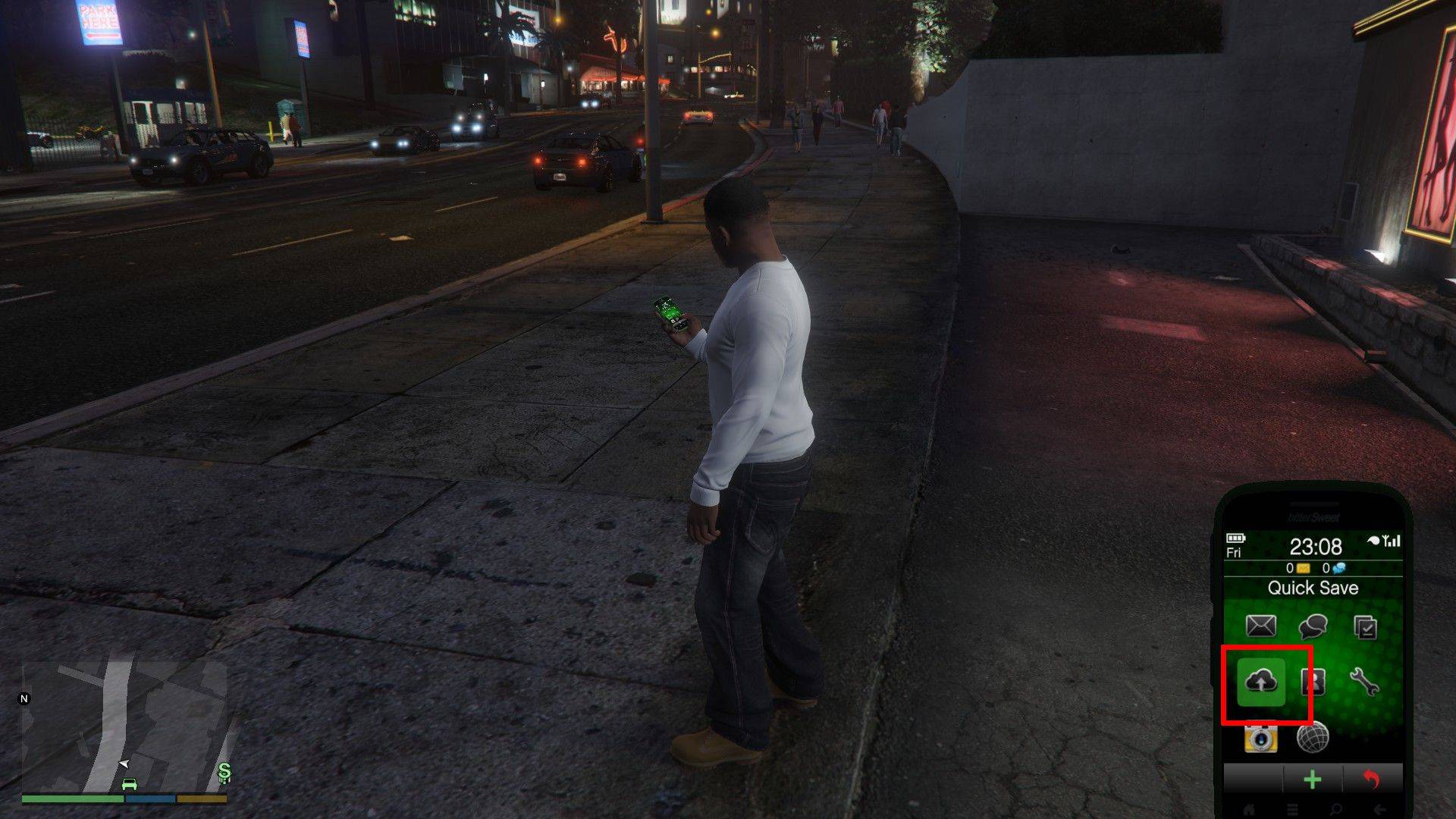
For a quicker save, utilize your in-game cell phone:
- Access your cell phone (Keyboard: Up arrow; Controller: Up on the D-pad).
- Select the cloud icon to open the Save Game menu.
- Confirm the save.
GTA Online: Forcing Autosaves
Unlike GTA 5 Story Mode, GTA Online lacks a dedicated manual save menu. Instead, you can trigger autosaves using these methods:
Method 1: Changing Outfits/Accessories
Altering your outfit or even a single accessory forces an autosave. Watch for the orange circle confirmation:
- Open the Interaction Menu (Keyboard: M; Controller: Touchpad).
- Select "Appearance."
- Choose "Accessories" and swap an item, or change your "Outfit."
- Exit the Interaction Menu. Repeat if the orange circle doesn't appear.
Method 2: Accessing the Swap Character Menu
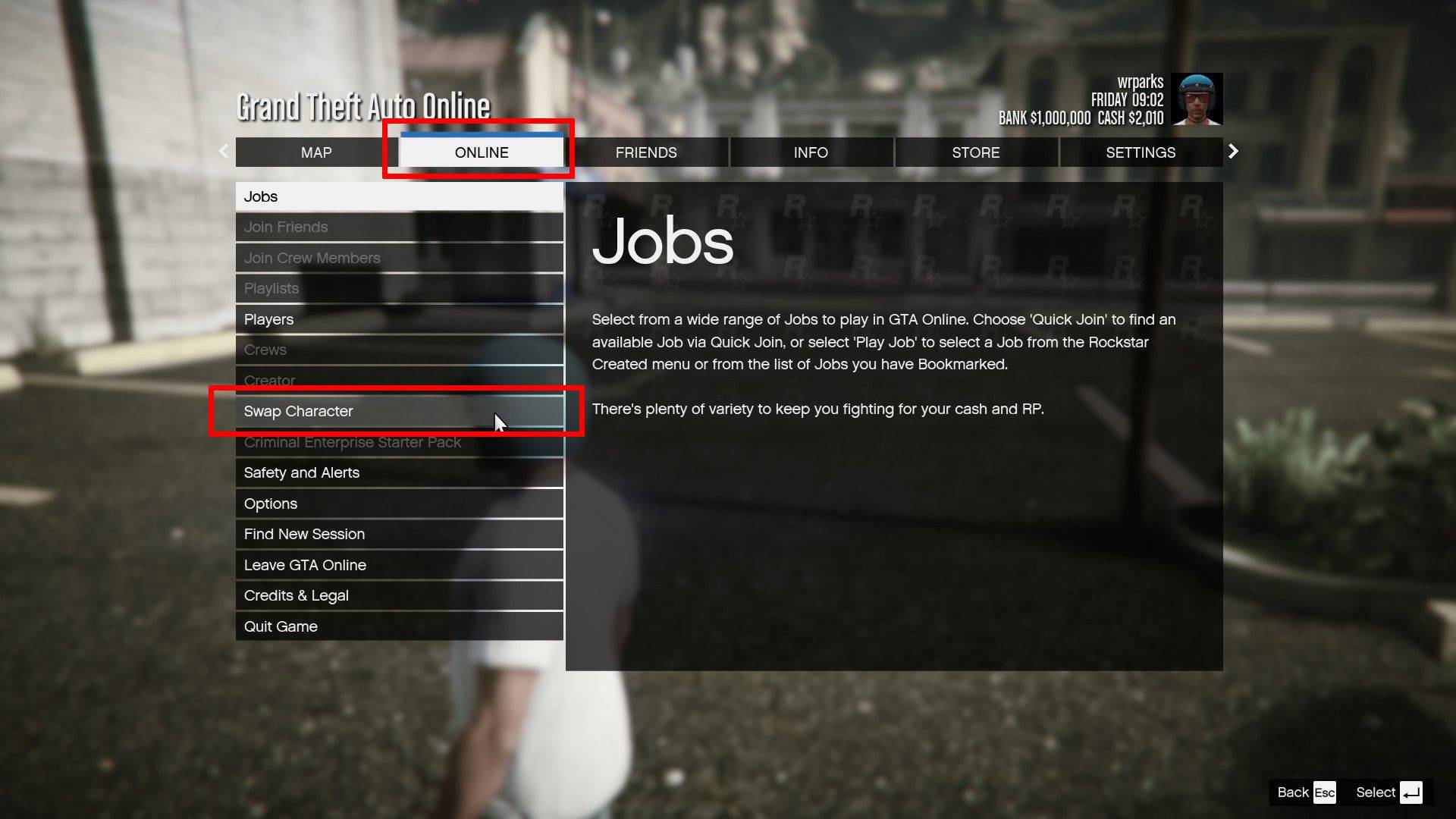
Navigating to the Swap Character menu, even without switching characters, also triggers an autosave:
- Open the Pause Menu (Keyboard: Esc; Controller: Start).
- Go to the "Online" tab.
- Select "Swap Character."
Remember to utilize these methods regularly to safeguard your progress in both GTA 5 and GTA Online.
Latest News
more >-
-

- Universal Piece Trello and Wiki Links
- Oct 22,2026
-

-

-




