Fortnite Reload: Essential Guide and Tips
- By Sarah
- Apr 21,2025
You can now enjoy Fortnite Mobile on your Mac! Dive into the action with our comprehensive guide on how to play Fortnite Mobile on Mac using BlueStacks Air.
Fortnite Mobile's thrilling new Reload game mode offers an intense, closely-knit combat experience where 40 players team up on a smaller map to fight for survival until the very end. Fortnite’s Reload mode introduces a unique twist to the classic Battle Royale formula, focusing on teamwork and strategic gameplay. In this mode, as long as one squad member survives, eliminated players can respawn after a countdown, providing continuous engagement and chances to shift the battle's momentum. In this guide, we'll explore all the intricacies of this new mode and highlight how it differs from the traditional Battle Royale (BR) format. Let's dive in!
What is Fortnite Reload?
Fortnite Reload is an exhilarating, squad-based Battle Royale mode where players can respawn if at least one teammate is still in the game. Set on a compact map featuring iconic Fortnite locales such as Tilted Towers and Retail Row, matches are packed with intense action. This mode is designed for speed, equipped with advanced loot and gear to accelerate gameplay. It has been warmly welcomed by the Fortnite community for its fast-paced mechanics and engaging matchmaking system.
How Does Fortnite Reload Differ from Other Game Modes?
Fortnite Reload introduces a fresh Battle Royale experience with 40 players competing on an exclusive, smaller map designed specifically for this mode. Players can choose between traditional Battle Royale or Zero Build settings, catering to different playstyles, with the ultimate goal of being the last squad standing. Victory Crowns in Fortnite Reload function similarly to those in the standard Battle Royale and Zero Build modes.
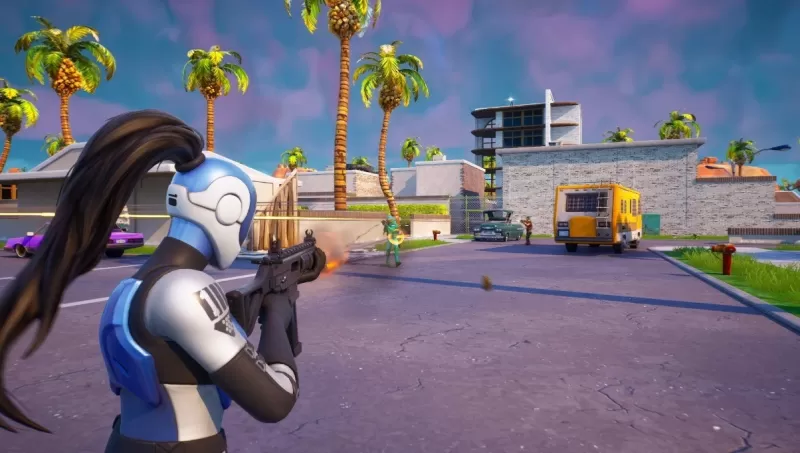
Fortnite Reload Quests and Rewards
This game mode also comes with its own set of quests, allowing players to earn additional experience points and unlock exciting rewards. Completing each quest grants you 20,000 EXP. Additionally, completing a series of quests unlocks various rewards, including:
- Digital Dogfight Contrail – Complete three quests
- Pool Cubes Wrap – Complete six quests
- NaNa Bath Back Bling – Complete nine quests
- The Rezzbrella Glider – Earn a Victory Royale
For the ultimate Fortnite Mobile experience, playing on a larger screen using BlueStacks on your PC is highly recommended. Enjoy seamless gameplay without worrying about battery life.
[ttpp]
Latest News
more >-
-

- Universal Piece Trello and Wiki Links
- Oct 22,2026
-

-

-




