Freedom Wars Remastered: How To Use Your Accessory
- By Riley
- Feb 25,2025
Quick Links
Freedom Wars Remastered lets you deploy three comrades and an Accessory, each with customizable equipment. While comrade gear is upgraded passively, your Accessory offers unique customization options and direct command capabilities. This guide details Accessory customization and optimal order sets.
How To Customize Your Accessory In Freedom Wars Remastered
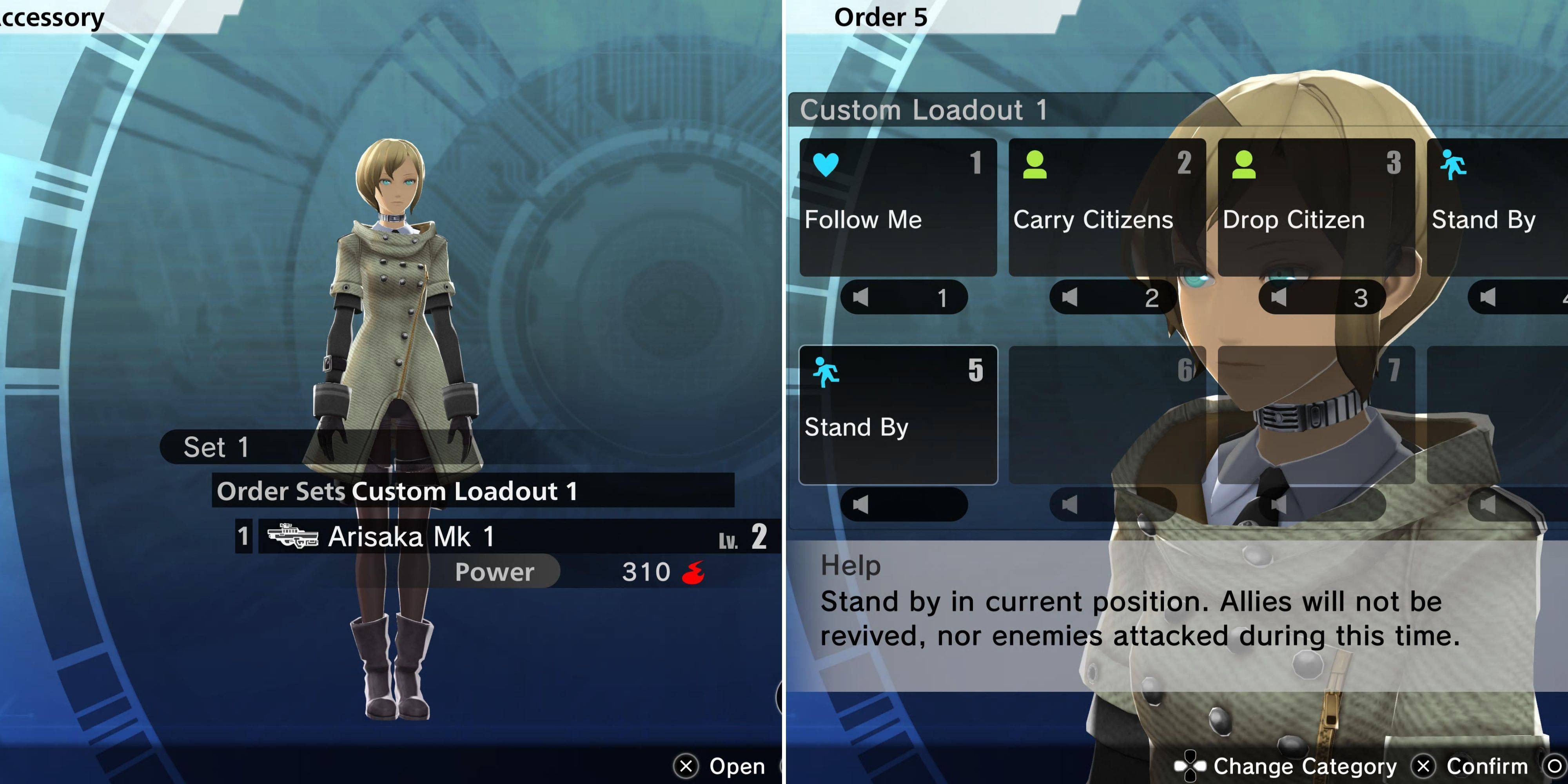
Access your Accessory's loadout via the main Loadout menu. A sub-menu mirroring your own will appear, allowing you to equip weapons and compatible Modules. Unlike player characters, Accessories don't consume ammo for gun weapons.
Accessories can also equip a single combat item used at their discretion. They're limited to one weapon and one item, but their distinct advantage lies in the unique commands you can issue.
Accessory Orders
Order sets are selected in the Loadout menu, but individual orders are customized by interacting with your Accessory in your cell. The "Customize Accessory" option (fifth from the top) lets you create and modify order sets. The number of orders per set is expandable via "Right To Assign Orders Entitlements" purchased from the Window of Liberty Interface Entitlements (Accessory section). Remember: order sets are chosen before an operation; they can't be changed mid-mission. Available orders include:
- Follow Me
- Stand By
- Use Medical Supplies
- Prioritize Revival
- Rescue Comrades
- Carry Citizens
- Drop Citizen
- Follow With Citizen
- Capture Enemy Control System
- Capture Nearby Control System
- Capture Neutral Control System
- Harvest Resources
These orders are issued during operations using the up directional pad button (or C on PC). Customize Accessory and Comrade orders independently for optimized task allocation.
Best Accessory Orders In Freedom Wars Remastered
These are the recommended Accessory orders:
Order
Explanation