Freedom Wars Remastered: How to Save
- By Camila
- Feb 26,2025
Freedom Wars Remastered: Mastering the Art of Saving
In the fast-paced world of Freedom Wars Remastered, where battles against towering Abductors are commonplace and the Panopticon's 10-second rule hangs heavy, relying solely on auto-saves is a risky strategy. Manual saving becomes paramount to safeguard your progress. This guide details how to save your game and offers workarounds for the game's single save file limitation.
The Importance of Saving
The game's intense action and frequent challenges make frequent saving a must. Whether prepping for a difficult mission or simply taking a break, knowing how to save is crucial to avoid losing hard-earned progress.
How to Manually Save
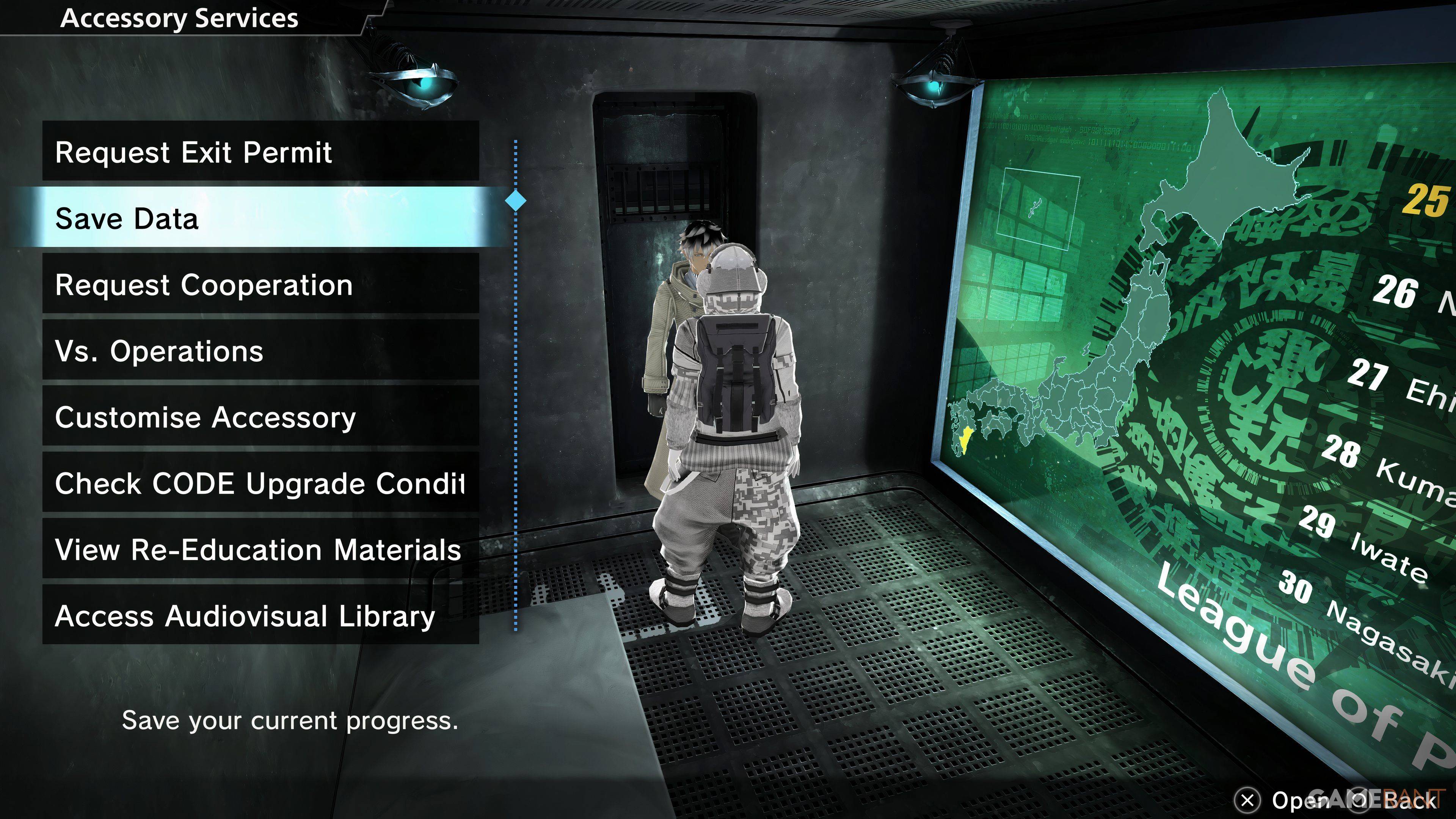
While Freedom Wars Remastered features an autosave system that kicks in after missions, key dialogues, and cutscenes, it's not foolproof. The game offers a manual save option, but it only allows for a single save file. To manually save:
- Access your Panopticon Cell.
- Interact with your Accessory.
- Select "Save Data" (the second option).
Your Accessory will confirm the save, securing your progress.
Workarounds for the Single Save File Limitation
The single save file limitation prevents players from revisiting past decisions. However, PlayStation Plus subscribers can utilize cloud saves as a workaround. This allows for backing up your save data to the cloud and restoring it as needed, enabling exploration of alternate choices or recovery from unexpected game crashes.
The Importance of Frequent Saving
Given the potential for game crashes reported by some players, frequent manual saving is strongly recommended to minimize the risk of losing significant progress. Utilize the manual save feature regularly to ensure your hard work doesn't go to waste.