How to redeem code for PUBG Mobile
- By Jonathan
- Feb 26,2025
Unlocking awesome PUBG Mobile skins is a major highlight for many players. This guide shows you how to get free cosmetic items using redeem codes. While in-game purchases are an option, these codes offer a free alternative.
 Image: youtube.com
This article provides current codes for December 2024, instructions on how to use them, and tips on where to find more.
How to Redeem Codes:
Redeeming codes isn't done directly in the game. You'll need to visit the official PUBG Mobile website. Your User ID is required; this is usually found near your in-game nickname (check your profile settings – typically accessed via your avatar in the top right corner).
 Image: reddit.com
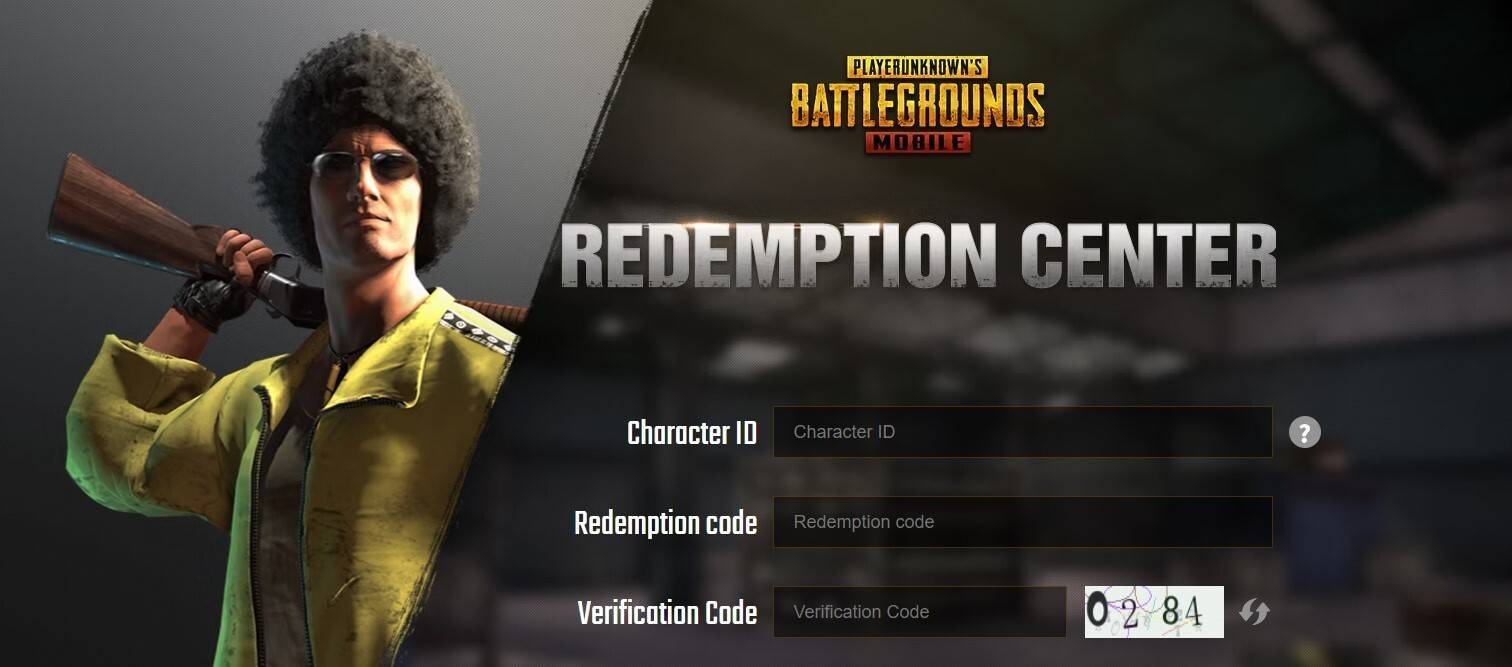 Image: ensigame.com
On the website, enter your User ID in the designated field, paste the redeem code, complete the CAPTCHA, and click "Redeem." Successful redemption sends the reward to your in-game mailbox.
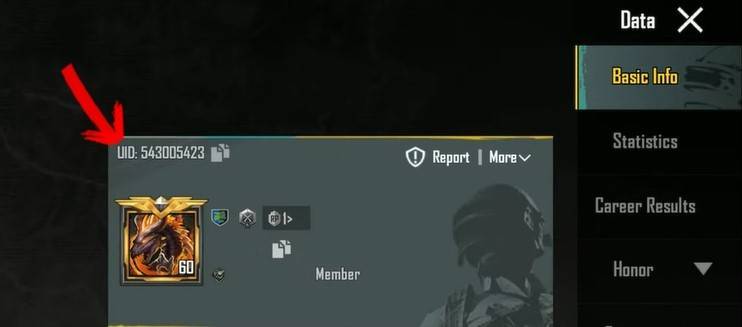 Image: ensigame.com
PUBG Mobile Redeem Codes (December 2024):
 Image: facebook.com
-
YearofSnake
-
SpringFestival
- PUBGMBennyMoza2
- PUBGMBennyMoza1
- PUBGMBRAUC
- CMCKZBZBAW
- CLPOZFZ56S
- CLPOZEZVEG
- CLPOZDZ6PP
- CLPOZCZTVW
- CLPOZBZ6JE
- CLHFZFZ7VE
Where to Find More Codes:
Keep an eye on official PUBG Mobile channels (social media, website, in-game announcements) for the latest codes. These are often released during special events and promotions, and their validity is limited, so act fast!
 Image: youtube.com
Don't be discouraged if you miss a code; new ones are released regularly. Happy gaming!