Roblox Prison Life: Beginner's Tips and Guide
- By Natalie
- May 04,2025
Prison Life is one of the most engaging classic games on Roblox, captivating players with its straightforward yet dynamic gameplay. At its core, the game pits prisoners against guards in a continuous battle of wits and strategy. Whether you're aiming to become a legendary escape artist or a formidable prison guard, this guide will equip you with the knowledge to excel. We'll cover the best controls, essential gameplay mechanics, and expert tips to enhance your Prison Life experience. Let's dive in!
What is Prison Life?
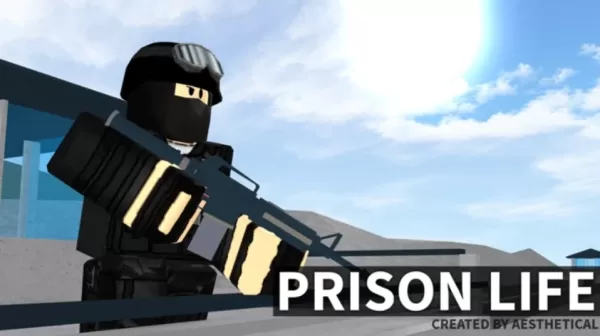
Prison Life is an immersive roleplay/action game where players can choose between two roles: prisoner or guard. As a prisoner, your objective is to break out of jail, navigating through a world filled with chases, fights, and riots. As a guard, you're tasked with maintaining order and preventing escapes, using your arsenal of weapons and authority. Upon joining the game, you'll select one of these roles:
- Prisoner: You start in a jail cell, bound by prison rules, and must devise a plan to escape.
- Guard: You begin with weapons at your disposal, tasked with keeping the prisoners in check.
Understand the Map and Locations
Mastering the map is crucial in Prison Life, whether you're plotting an escape or thwarting one. The map, located in the top right corner, can be enlarged for a detailed view. Familiarity with the layout is beneficial regardless of your role.
As a prisoner, knowing all entry and exit points, including hidden paths, small doors, and fence holes, is key to a successful escape. Here are some key locations to keep in mind:
- Cell Block: Where prisoners start their journey.
- Cafeteria: A gathering place for meals at designated times.
- Yard: An open area for leisure, ideal for planning escapes.
- Security Room: Exclusive to guards, stocked with weapons.
- Armory: Contains heavy weaponry for guards.
- Parking Lot: Where police cars spawn, vital for a complete getaway.
- Outside Areas: Includes fences, towers, and paths to freedom.
Learn the Controls
Understanding the controls is essential for effective gameplay in Prison Life. Note that some controls are exclusive to PC or laptop players, enhancing your experience with BlueStacks for a seamless gameplay session. Here are the controls you'll need to master:
- Movement: Use arrow keys, WASD, or touchscreen.
- Jump: Press space or the jump button.
- Crouch: Use C.
- Punch: Use F.
- Sprint: Hold Shift (PC only).
Keep an eye on your stamina bar, which depletes with each jump. Recharge it by eating meals in the cafeteria, though be aware that meals now heal and then damage you by the same amount. Stamina also regenerates over time.
Basic Tips for Inmates
For those playing as prisoners, here are some strategic tips to help you escape:
- Stay active to avoid being an easy target for guards with tasers.
- Learn the prison schedule to avoid restricted areas and reduce the risk of arrest.
- If arrested, quickly reset your character to regain the ability to pick up items.
- Vending machines are no longer useful for snacks but can serve as cover during conflicts.
- Initially, teaming up to rush the guard area for weapons can be effective, though risky.
- For a stealthy weapon acquisition, use the camera glitch at the yard's right window to grab a primitive knife unnoticed.
Basic Tips for Guards
For players taking on the role of guards, here are some tips to maintain control:
- Equip a shotgun or M4A1 from the armory in your spawn area for better control.
- You have the authority to open doors, unlike inmates and criminals who need to eliminate you for a key card.
- Use your taser and handcuffs wisely to stun and arrest without abusing the system.
- Obtain a free AK47 from the warehouse, but be wary of criminal respawns.
- Avoid random tasing or killing to prevent becoming a target or being demoted to an inmate.
Enhance your Prison Life experience by playing on a larger screen using BlueStacks on your PC or laptop, paired with a keyboard and mouse for precision and control.
Latest News
more >-

- Universal Piece Trello and Wiki Links
- Oct 22,2026
-

-

-

-