"Save Game Guide for R.E.P.O. Players"
- By Alexander
- May 21,2025
The cooperative horror game *R.E.P.O.* offers a thrilling, physics-based retrieval experience for up to six players. Your mission is to navigate through various maps, find valuable items, and successfully extract them. To ensure your efforts aren’t lost, understanding how to save your game in *R.E.P.O.* is crucial.
How to Save Your Game in R.E.P.O.
One of the most disheartening experiences for gamers is loading up a game only to find that their recent progress hasn’t been saved. This issue is particularly common with new titles. Not all games feature autosaves, and some require specific actions or locations to be reached before a safe save point is available. It’s easy to overlook the tutorial on saving, and sometimes, the instructions aren’t clear enough.
In *R.E.P.O.*, it’s essential to remember that the game autosaves only upon completing a level. There is no option for manual saving, so exiting during a retrieval mission or dying (which sends you to the Disposal Arena) will erase your current save. If you die or leave mid-level, you’ll have to start that level over from the beginning.
To save your progress, you need to finish a level and bring your valuables to the Extraction Point. From there, you must enter (or return to) the truck and press the message button above your head to signal the Taxman, your AI boss, that it’s time to head to the Service Station. At the Service Station, you can shop for necessary items and then use the same button to proceed to the next level.
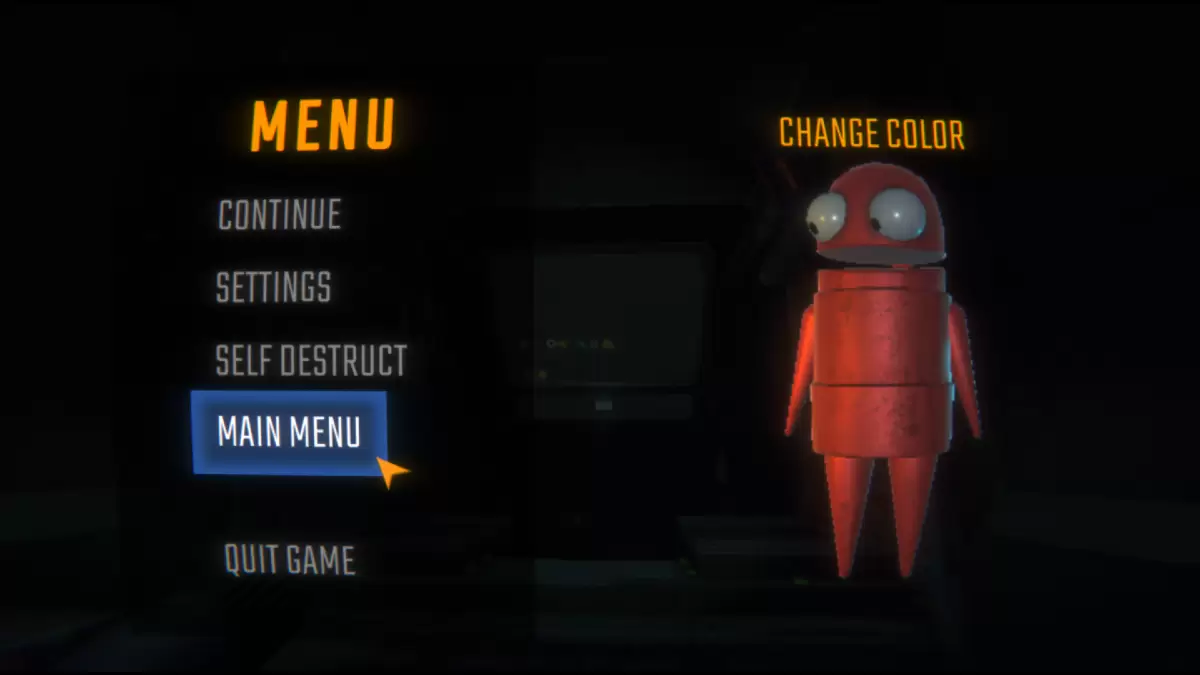 Image via The Escapist
Once you leave the Service Station, you’ll arrive at your next location. This is the safe point to exit to the main menu or quit the game. The next time you or the host (if another player created the original save file) starts the game, you can resume *R.E.P.O.* normally. It’s important for the host to exit the game at the right moment to ensure the save is successful. When the host quits, other players will also be disconnected.
Now that you’re equipped with the knowledge on how to save your game in *R.E.P.O.*, explore our other guides to enhance your gameplay and mission success.
*R.E.P.O. is available now on PC.*
Latest News
more >-
-

- Universal Piece Trello and Wiki Links
- Oct 22,2026
-

-

-




