Sims 4 Blast From the Past: Studying Historical Displays
- By George
- Apr 11,2025
Week 2 of the *The Sims 4* Blast from the Past event is in full swing, challenging players to dive deep into the game's world to unravel a captivating mystery. Yet, a seemingly simple task is proving to be a stumbling block for many. Here's your guide on how to study a Historical Display in *The Sims 4*.
Where to Find a Historical Display in The Sims 4 Blast From the Past Event
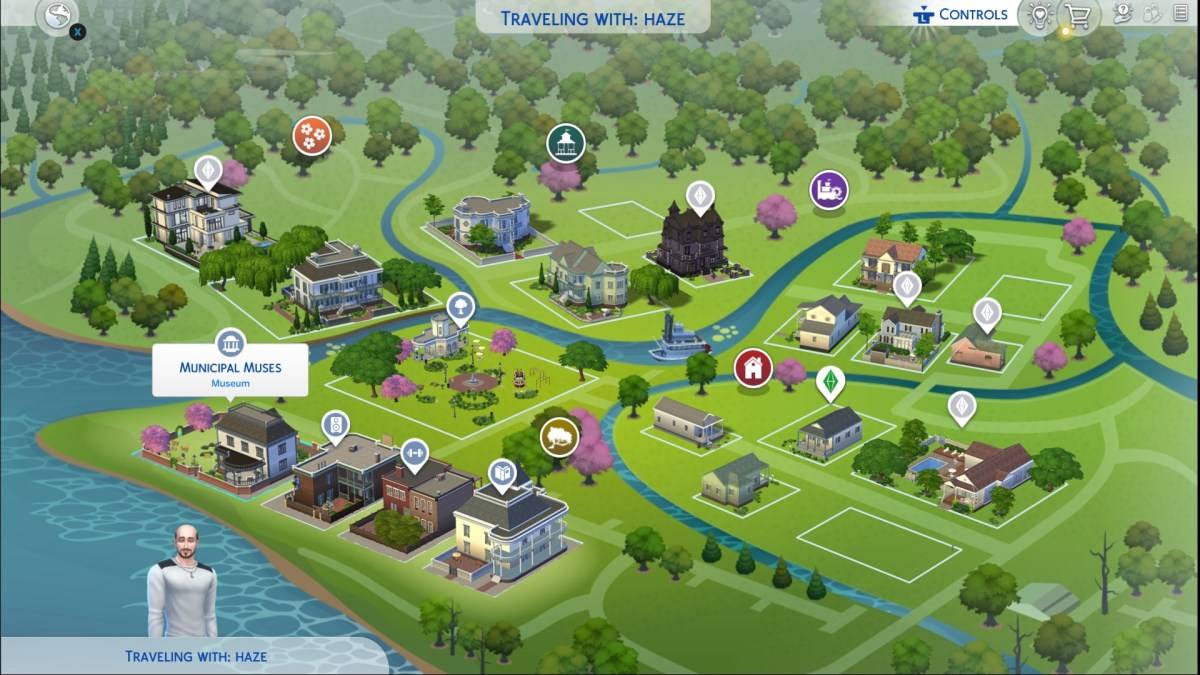 One of the quests in Blast from the Past Week 2 requires you to study a Historical Display at a museum. For seasoned *The Sims 4* players, finding the local museum is a breeze, but newcomers should open their map and look for a building marked by an icon with pillars. There are four default museums, but the most convenient ones to visit are Municipal Muses in Willow Creek and The Future’s Past in Oasis Springs, given their proximity to other event tasks.
How to Study a Historical Display in The Sims 4 Blast From the Past Event
After locating and traveling to a museum, it's time to dive in and start studying. In *The Sims 4*, both paintings and sculptures count as Historical Displays. Choose one that catches your eye and click on it. You'll be prompted to "View" the Historical Display, and completing this action will tick off your challenge, as indicated by the Emit icon that appears.
Despite the simplicity of the task, numerous players are facing issues. It seems that mods are interfering, causing the "View" button to malfunction, thus preventing players from studying the displays. Some are even resorting to removing all mods to progress through the event, yet this doesn't always solve the problem. Hopefully, EA is on the case and working on a fix. Until then, the best strategy is to attempt to study as many items as possible across multiple museums.
Related: All Sims 4 Expansion Packs, Ranked
All The Sims 4 Blast From the Past Event Week 2 Quests
Even after successfully studying a Historical Display, you'll need to complete several more challenges to wrap up Week 2. Here's the complete list of quests:
- Echoes of Time Quests
- Read the History of Time Travel at a Library
- Experience the Past by Playing The Sims Archives vol. 2
- Study a Historical Display at a Museum
- Ask an Elder about the Shard
- Research Shards of Time
- Search Objects for Shards of Time (3)
- Show Emit the Shards of Time
- Inventing the Past Quests
- Read Theoretical Electronics at a Library
- Collect Plathinum
- Collect Ironyum
- Repair Something while Handiness Level 2 or Higher
- Exercise Your Mind while Level 2 or Higher in Logic
- Obtain an Electronic Upgrade Part
- Build the Time Travel Component
That's everything you need to know about studying a Historical Display in *The Sims 4* Blast from the Past event.
The Sims 4 is available now on PlayStation, Xbox, and PC.
Latest News
more >-
-

- Universal Piece Trello and Wiki Links
- Oct 22,2026
-

-

-




