Fortnite Chapter 6 Best PC Settings & How To Boost FPS
- By Hazel
- Mar 04,2025
Optimize Your Fortnite PC Settings for Peak Performance
Fortnite's demanding nature can lead to frustratingly low frame rates, hindering gameplay. However, optimizing your in-game settings can significantly improve performance. This guide details the best PC settings for Fortnite across various categories.
Display Settings:

The Display settings in Fortnite significantly impact performance. Here's the recommended configuration:
| Setting | Recommended |
|---|---|
| Window Mode | Fullscreen (best performance); Windowed Fullscreen (for frequent tabbing) |
| Resolution | Native monitor resolution (e.g., 1920x1080). Reduce for low-end PCs. |
| V-sync | Off (prevents input lag) |
| Framerate Limit | Monitor Refresh Rate (e.g., 144Hz, 240Hz) |
| Rendering Mode | Performance (highest FPS) |
Rendering Modes Explained:
Fortnite offers three rendering modes: Performance, DirectX 11, and DirectX 12. DirectX 11 is stable and reliable, while DirectX 12 offers potential performance gains on newer hardware. For maximum FPS and minimal input lag, "Performance" mode is the preferred choice among professional players.
Graphics Settings:
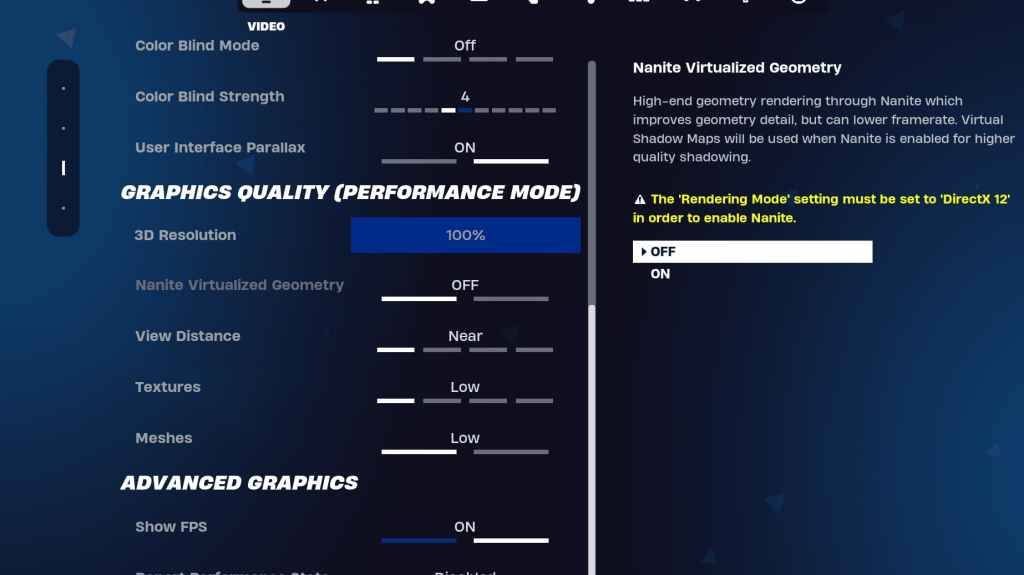
The Graphics settings directly affect visual quality and performance. Lowering these settings frees up resources, resulting in higher frame rates. Here's the recommended configuration for optimal performance:
| Setting | Recommended |
|---|---|
| Quality Preset | Low |
| Anti-Aliasing & Super Resolution | Off/Low |
| 3D Resolution | 100% (70-80% for low-end PCs) |
| Nanite Virtual Geometry (DX12) | Off |
| Shadows | Off |
| Global Illumination | Off |
| Reflections | Off |
| View Distance | Epic |
| Textures | Low |
| Effects | Low |
| Post Processing | Low |
| Hardware Ray Tracing | Off |
| Nvidia Low Latency Mode | On + Boost (Nvidia GPUs only) |
| Show FPS | On |
Game Settings:
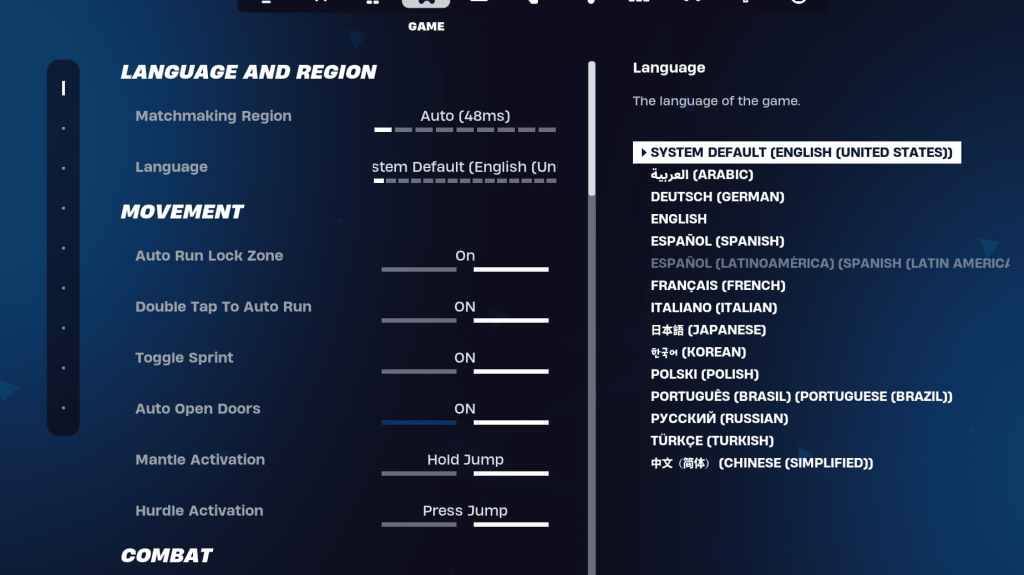
Game settings don't impact FPS but significantly affect gameplay. While many are preference-based, some crucial settings are:
- Movement: Auto Open Doors: On; Double Tap to Auto Run: On (controllers)
- Combat: Hold to Swap Pickup: On; Toggle Targeting: Personal Preference; Auto Pickup Weapons: On
- Building: Reset Building Choice: Off; Disable Pre-edit Option: Off; Turbo Building: Off; Auto-Confirm Edits: Personal Preference; Simple Edit: Personal Preference; Tap to Simple Edit: On (if Simple Edit is On)
Audio Settings:
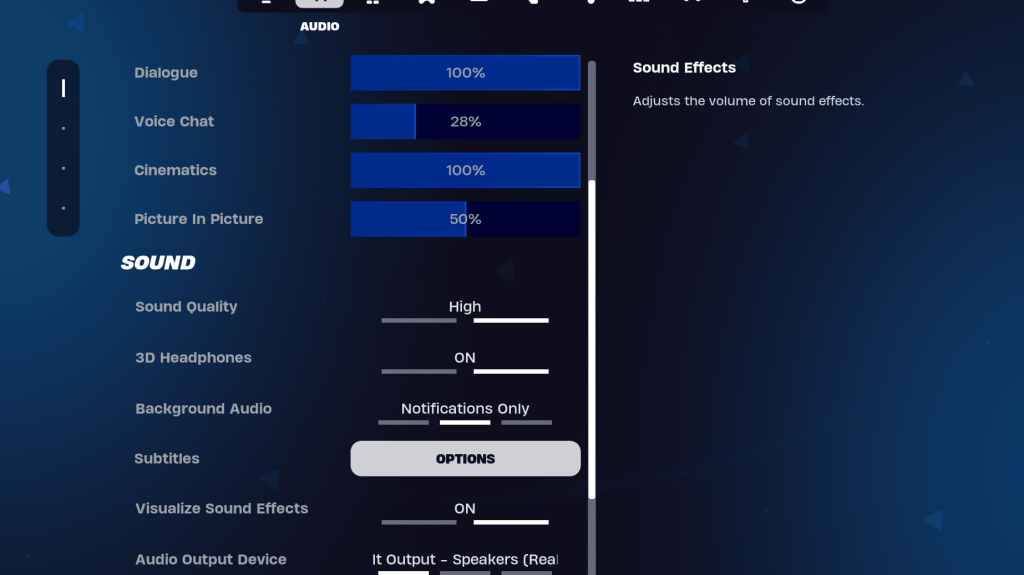
Good audio is vital in Fortnite. Enable "3D Headphones" (experiment for compatibility) and "Visualize Sound Effects" for enhanced spatial awareness and visual audio cues.
Keyboard and Mouse Settings:
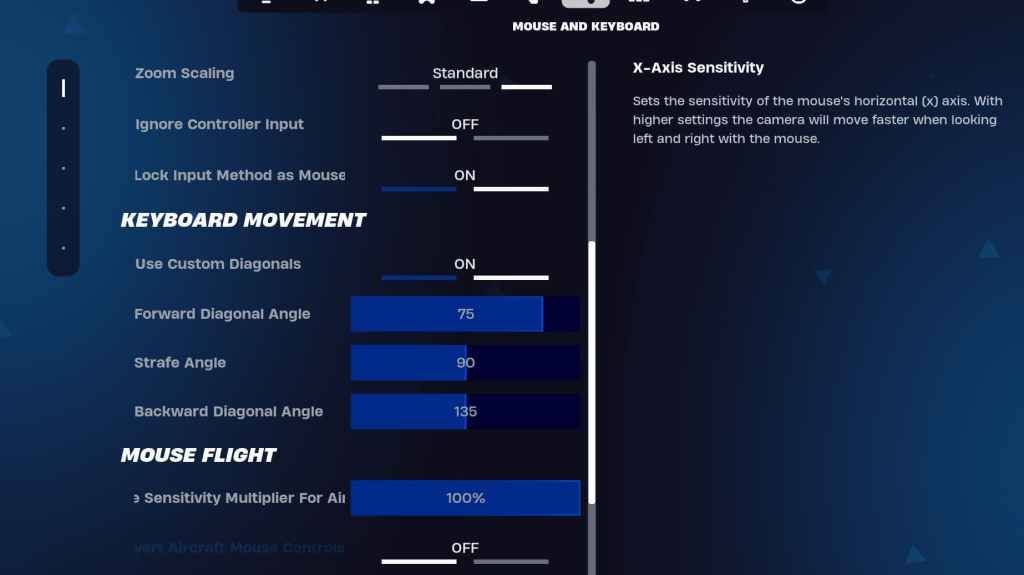
Configure sensitivity and keybindings in the Keyboard and Mouse settings. Adjust X/Y Sensitivity, Targeting Sensitivity (45-60%), Scope Sensitivity (45-60%), and Building/Editing Sensitivity to your preference. Consider using custom diagonals with adjusted angles for optimal movement. Keybinds are highly personal; experiment to find what works best for you.
By implementing these settings, you'll significantly improve your Fortnite performance and overall gameplay experience. Remember to adjust settings based on your hardware capabilities and personal preferences.
Latest News
more >-
-

- Universal Piece Trello and Wiki Links
- Oct 22,2026
-

-

-




