RTX 5080 Upgrade on Old Hardware: Rough but Convinced Me of Multi-Frame Generation
- By Anthony
- May 13,2025
Every time a new graphics card hits the market, I get a rush of excitement. Nvidia's unveiling of the RTX 5080 and its groundbreaking DLSS 4 technology, which uses AI to boost visuals and frame rates to unprecedented levels, had me particularly thrilled. But as I gazed at my trusty, yet aging, gaming PC, I paused. Could it keep up with the latest advancements?
My RTX 3080 had been a reliable companion, delivering a steady 60 fps at 4K with max settings in my favorite games. However, the honeymoon phase was short-lived, and performance gradually dropped to 30 fps, forcing me to compromise on settings. This was frustrating—I yearn to experience the full artistic vision of video games. The artists pour their hearts into these creations, and I want to witness it all. But could my PC handle the RTX 5080?
As it turned out, the Nvidia GeForce RTX 5080 was compatible with my aging build, and my 1000-watt PSU was more than enough to handle the power shift from my RTX 3080. However, I encountered some challenges. My setup wasn't ideal, and the raw performance seemed underwhelming. Despite my criticisms of DLSS 4, its multi-frame generation technology made a significant impact, possibly convincing me of its value.
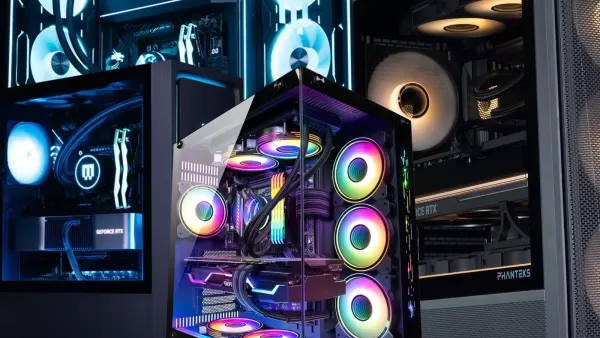 Installing the RTX 5080 – 4 Hours Later
I call it a grandpa-build, but it's not ancient. My PC sports an AMD Ryzen 7 5800X processor and 32GB of RAM, all nestled in a Gigabyte X570 Aorus Master motherboard—an important detail. Swapping out a graphics card should be straightforward, right? Wrong. My hubris was met with a challenge.
I assumed the same power cables that worked for my RTX 3080 would suffice for the RTX 5080. I plugged in two PCIe 8-pin cables into the RTX 5080's adapters, hoping it would work. It didn't. The RTX 5080's LEDs remained lifeless when I powered up my PC. Frustrated, I searched for PCIe 12-pin cables and, to my surprise, found them on DoorDash. I ordered a set of Corsair PCIe Gen 5 Type 4 600-watt power cables for $44 from a Best Buy in another state. Desperate times call for desperate measures, right?
The cables arrived in an hour, and I eagerly plugged everything in. The GPU flickered to life, but my PC still wouldn't activate the monitors. A red light glowed on my motherboard near the VGA symbol. After another hour of troubleshooting, I discovered the issue: the chunky chipset fan on the X570 Aorus Master was blocking the RTX 5080 from fully seating into the PCIe x16 slot. No matter how I tried, it wouldn't budge.
Resigned, I had to install the Nvidia GeForce RTX 5080—one of the best Nvidia GPUs currently available—into a PCIe x8 slot. How would this affect performance?
 RTX 5080 Running on My Grandpa-Build
After running 30 benchmarks across five different games, the RTX 5080's raw performance on my PC was middling. However, with DLSS 4 enabled, the results were remarkable. While I crave the vision that game artists intend, DLSS 4 offers a compromise. It's the only way forward for PCs like mine.
For those unfamiliar, DLSS 4 is a super sampling technology that boosts performance and sharpens image quality. Unique to RTX 50-series cards is Multi Frame Generation, which uses AI to generate up to three frames per true frame. This works only in supported games, and some games might not support Multi Frame Generation, though you can override this in the Nvidia app.
I chose Monster Hunter Wilds as my first test. This poorly optimized game had shown my RTX 3080's limitations. With the RTX 5080 at 4K, Ultra preset, and RT High settings, my PC couldn't break 60 fps, topping out at 51 fps without DLSS. Enabling DLAA (native resolution) and regular frame generation (2x) boosted it to 74 fps. My goal of achieving max settings at above 60 fps was met, though Ultra Performance mode pushed it to 124 fps. (At the time of writing, Multi-frame Generation (4x) isn't natively supported in the Nvidia app, but a workaround exists.)
In Avowed, I struggled to reach 60 fps at Ultra, 4K, RT on without DLSS. The result was a disappointing 35 fps. But enabling DLAA and MFG transformed my performance to 113 fps—a 223% increase. DLSS Ultra Performance doubled that frame rate, making my gameplay smooth and enjoyable.
Oblivion: Remastered, despite being a remaster of a nearly twenty-year-old game, challenged my RTX 5080. At Ultra, 4K, RT Ultra without DLSS, I barely managed 20 fps, averaging around 30 fps. But with DLAA and MFG, I achieved 95 fps, and Ultra Performance mode pushed it to 172 fps, ensuring a smooth experience.
Marvel Rivals, a game I never struggled with, was tested for both fps and latency. At Ultra, 4K without DLSS, the RTX 5080 delivered 65 fps with a 45ms latency. With DLSS set to Native and MFG, I got 182 fps but with a higher 50ms latency. The best performance came with DLSS on Performance and standard frame generation (2x), yielding 189 fps with a 28ms latency, matching the latency without frame generation.
Finally, I ran Black Myth Wukong's benchmark tool, which limited me to standard frame generation. At Cinematic, 4K, DLSS 40% with RT Very High, the RTX 5080 managed 42 fps. Enabling frame generation bumped it to 69 fps, and Multi-frame Generation could theoretically double that to 123 fps.
Relying solely on raw GPU performance was disappointing, reflecting both my old PC components and the modest raw performance gains of the RTX 50-series. However, DLSS 4 transformed my gaming experience.
 You Don’t Need a New PC for a New GPU
There are caveats to relying on DLSS 4 and Multi-Frame Generation. This technology creates art that never existed before, and it's not perfect. I noticed some fuzziness in environmental textures and artifacts in inventory screens. DLSS 4 sacrifices raw fidelity for increased frame rates and an optimized visual experience, which can enhance or imitate the real thing. It's beneficial for poorly optimized games, but I hope developers don't rely on it to the detriment of game optimization.
The key takeaway from my experience is that new GPUs can significantly enhance performance even in less-than-ideal setups. I considered removing my motherboard fan to fit the RTX 5080 into the PCIe x16 slot, but DLSS 4's performance made it unnecessary.
You don't need to upgrade everything to leverage a new graphics card. A new power supply (the RTX 5080 requires 850W) and power cables might be necessary, but that's it. GPUs are costly and hard to find, so don't rush to upgrade your entire system. You're likely fine as is.
I'm unsure how long my current setup will last before a full upgrade is needed, but DLSS 4 and Multi-Frame Generation have certainly extended its lifespan, giving me at least a few more minutes to enjoy my games.